> For the complete documentation index, see [llms.txt](https://dao-dao-docs.gitbook.io/docs/llms.txt). Markdown versions of documentation pages are available by appending `.md` to page URLs; this page is available as [Markdown](https://dao-dao-docs.gitbook.io/docs/dao-governance/manage-vetoable-daos.md).
# Manage Vetoable DAOs
Your DAO can opt to display proposals from affiliated DAOs that you have the power to veto. This guide outlines the steps for enabling or disabling this option.
## 1. Create Proposal
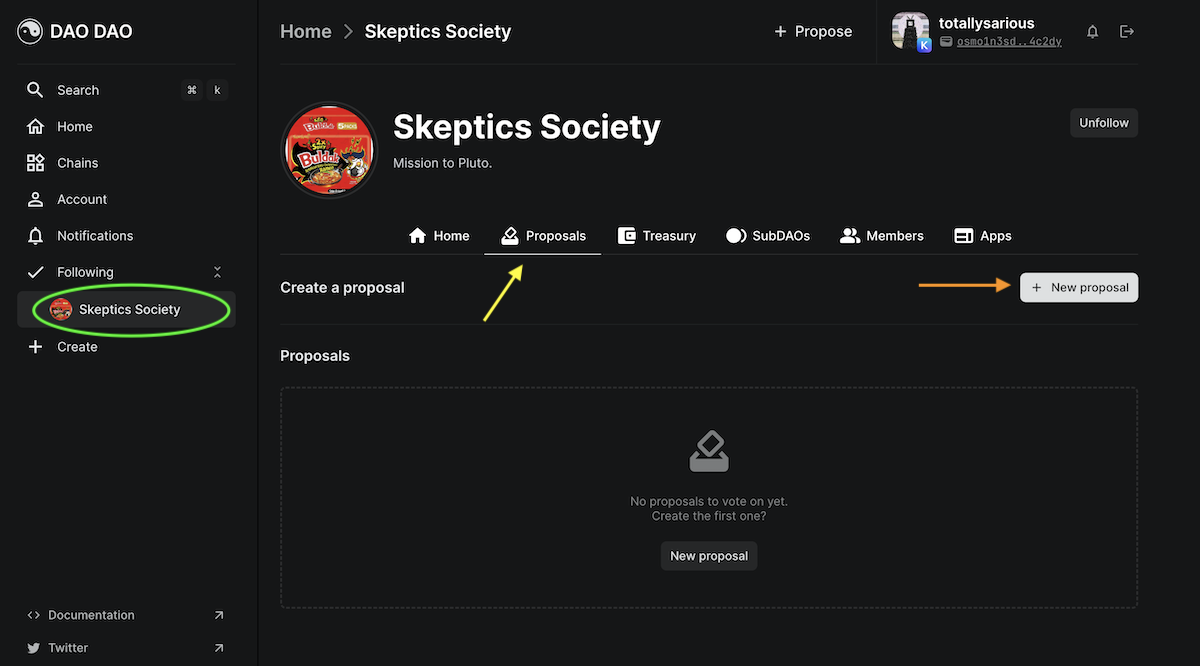
a. From your DAO page, example circled in green, click the Proposal tab, indicated by the yellow arrow.
b. Create a new proposal by clicking the +Proposal button.
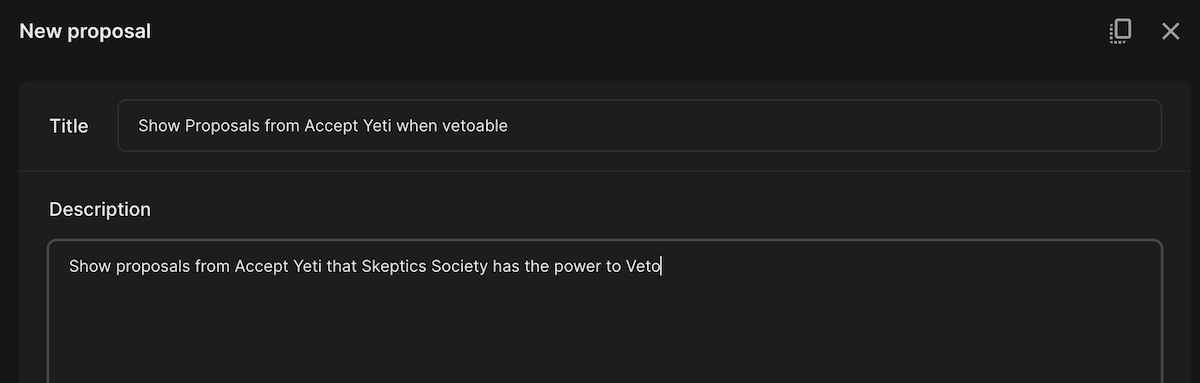
c. Give your proposal a title and description.
## 2. Add Actions
a. From the Action Library, select the DAO Governance tab and then the Manage Vetoable DAOs option, indicated with a green arrow in the picture below.

b. This will cause the Manage Vetoable DAOs box to appear, where you can enable or disable this feature. Paste an Osmosis address or search for the chosen DAO by name in the DAO prompt.

c. At the bottom of the screen will be an option to publish your proposal. Once you have reviewed your changes, publish your proposal to start the vote!
## 3. Vote
a. Once the proposal is live, you and other DAO members can vote. [Learn more about voting here!](/docs/dao-governance/proposals/how-to-vote-on-a-proposal.md)
b. If the DAO membership votes in favor of the proposal, all of the change will happen automatically at the close of the voting period.